Table of Contents
Features
View and Search
Folder View
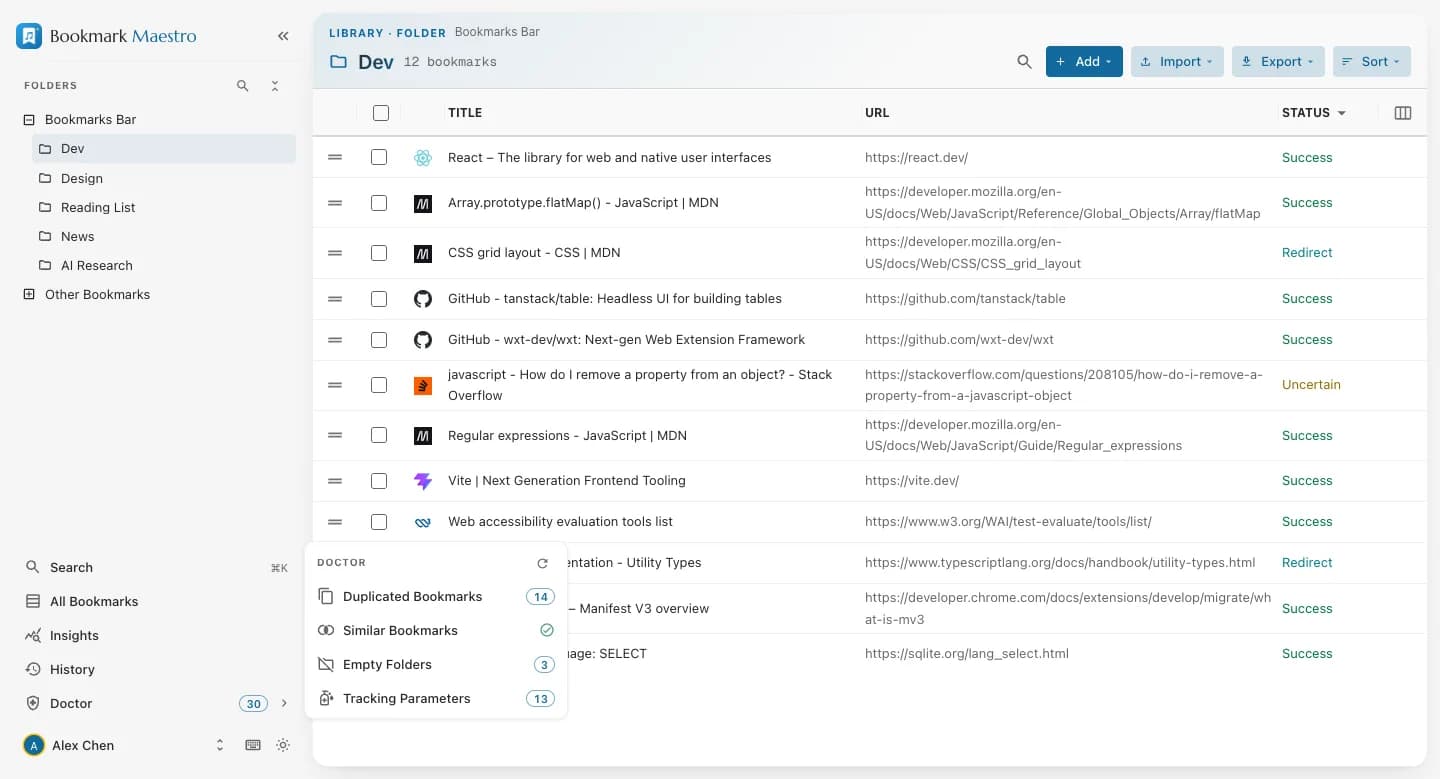
Experience seamless bookmark organization with our intuitive hierarchical folder structure, designed to enhance your productivity and streamline bookmark management.
- Add, import, export and sort straight from the folder's own header
- Advanced search and filtering capabilities in the folder tree sidebar
- Context-sensitive hover actions for efficient bookmark manipulation
Sorting and Filtering
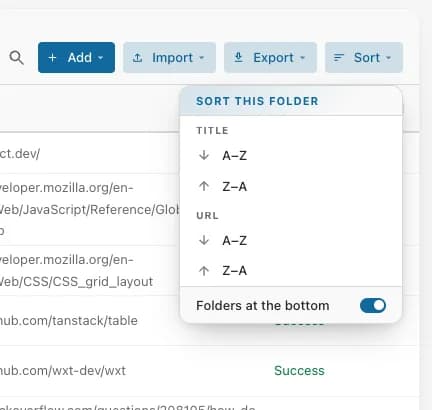
Leverage powerful organization tools with our advanced sorting and filtering system, designed for optimal bookmark management efficiency.
- Smart filtering by title, URL, and status
- Persistent sorting preferences for consistent organization
- Customizable folder positioning and drag-and-drop functionality
- Intuitive drag-and-drop interface for bookmark and folder organization
All Bookmarks
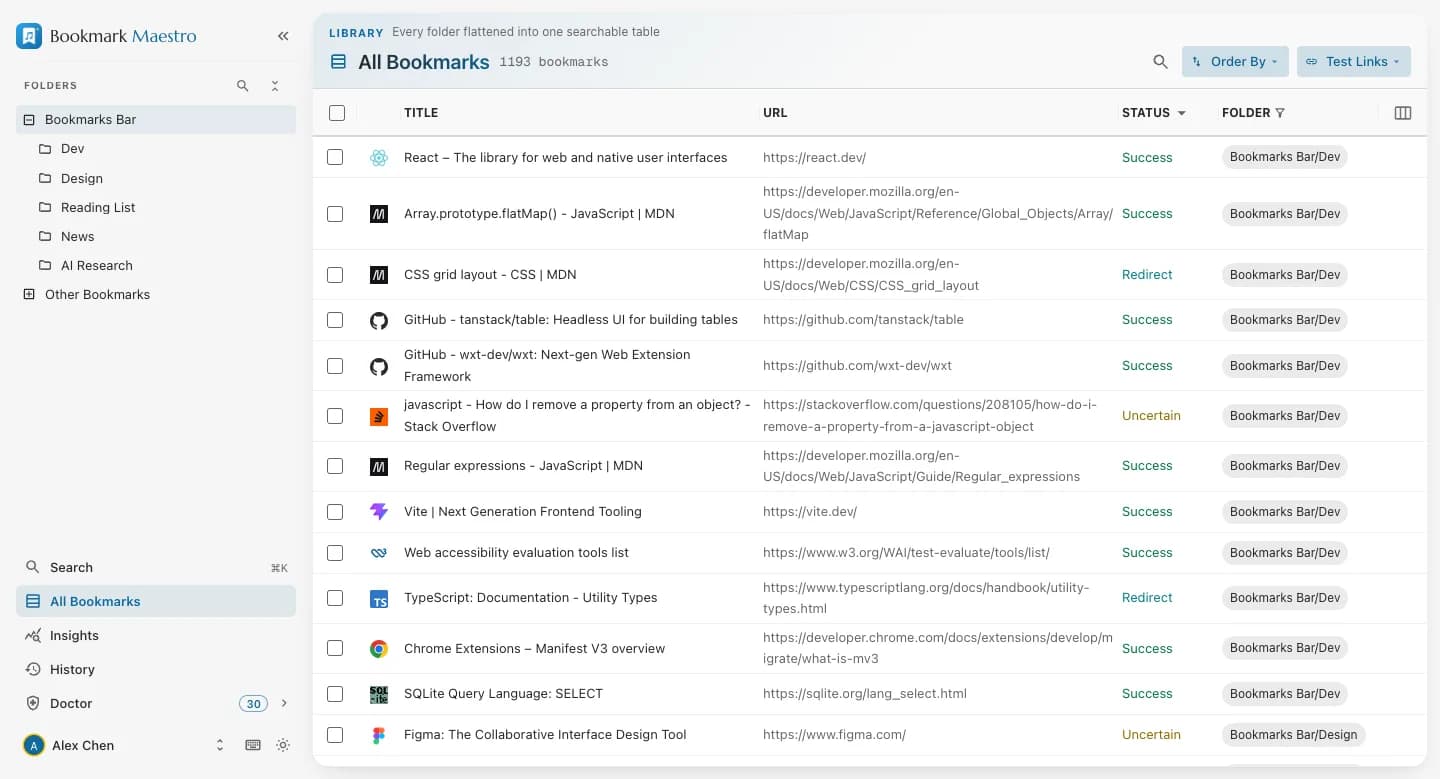
Every folder flattened into one searchable table — your entire collection in a single view, with the folder path kept beside each bookmark.
- Virtualized table that stays smooth past 20,000 bookmarks — you scroll, never paginate
- Advanced filtering system for precise bookmark location
- Complete folder path visibility for better context
- Efficient batch operation capabilities
Search Everywhere (⌘K)
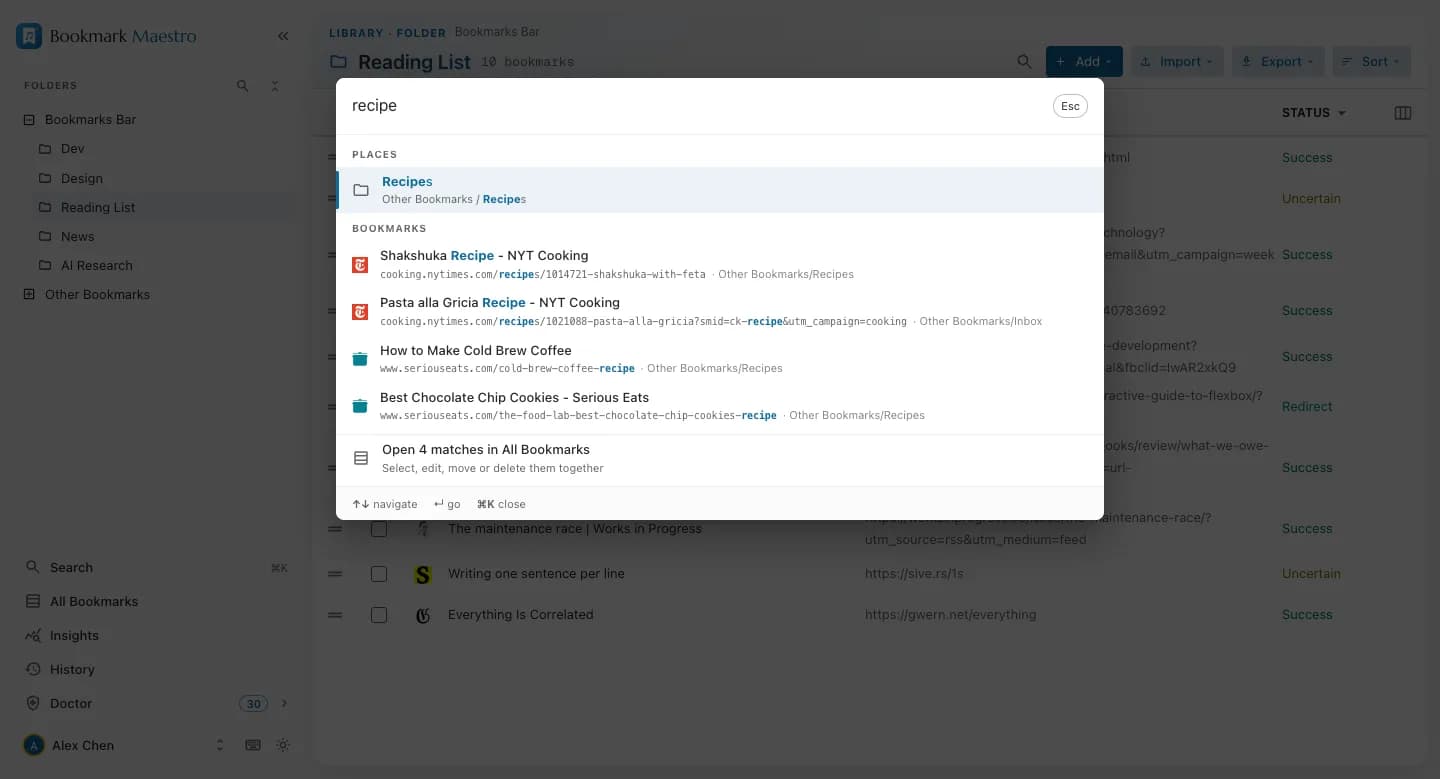
One search that reaches everything: press ⌘K in the manager — or Alt+B on any web page — and type. Folders, views and every bookmark answer from a single matcher, so every search box in the product agrees on what matches.
- Command palette over folders, views and bookmarks — each result marks the words that matched
- Ranked, so the eight rows on screen are the best matches and not just the first ones found
- Alt+B opens the toolbar popup with the caret already in the search box, from any page
- ↵ opens a result in a new tab, ⌘↵ in the current one — the page you're reading survives being searched from
- A hand-off row opens all matches in the All Bookmarks table for batch work
Light, Dark and System Mode
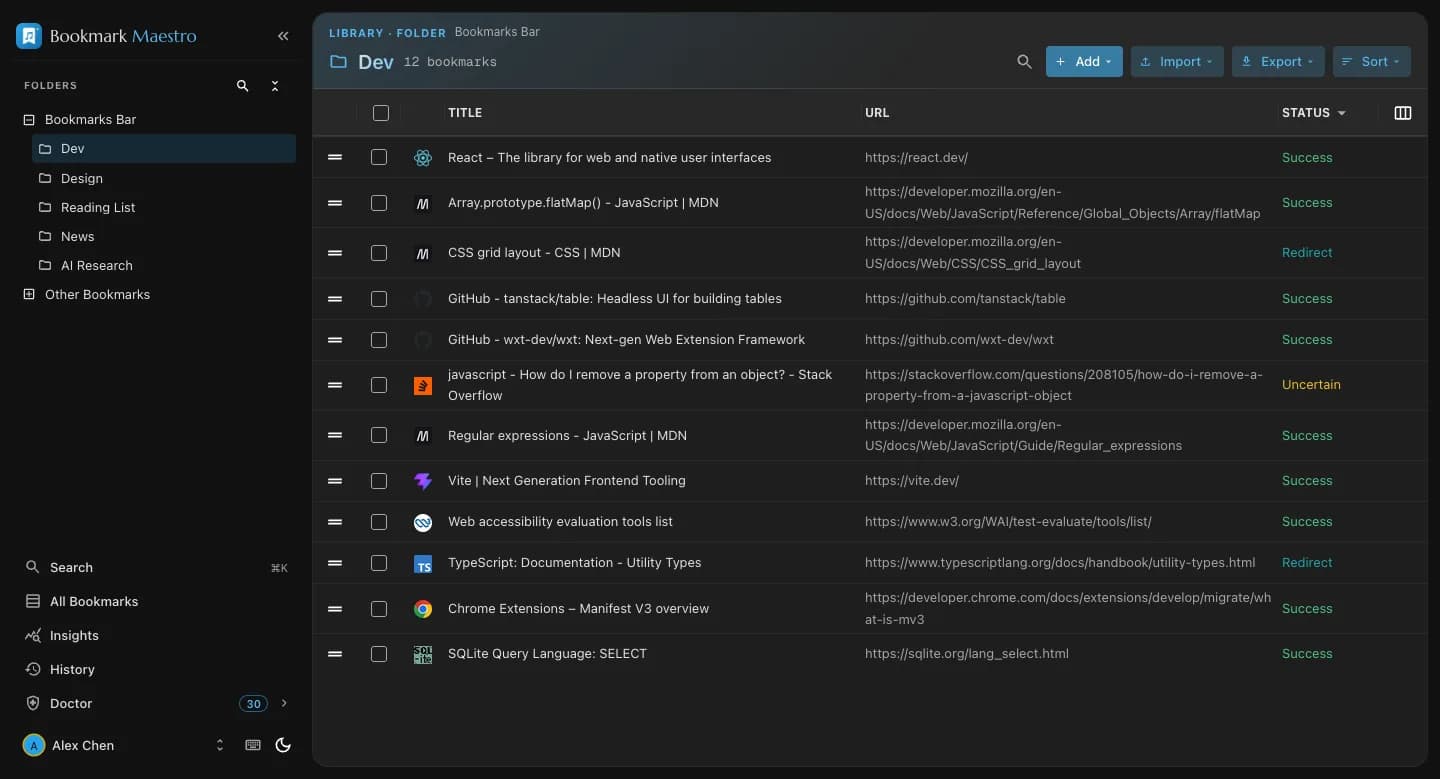
Enjoy a seamless viewing experience with our professionally designed theme options, optimized for both day and night usage across all interfaces.
- Meticulously crafted dark mode with carefully selected color palettes
- Follow-the-system option that switches with your OS automatically
Operations
Create, Move and Delete
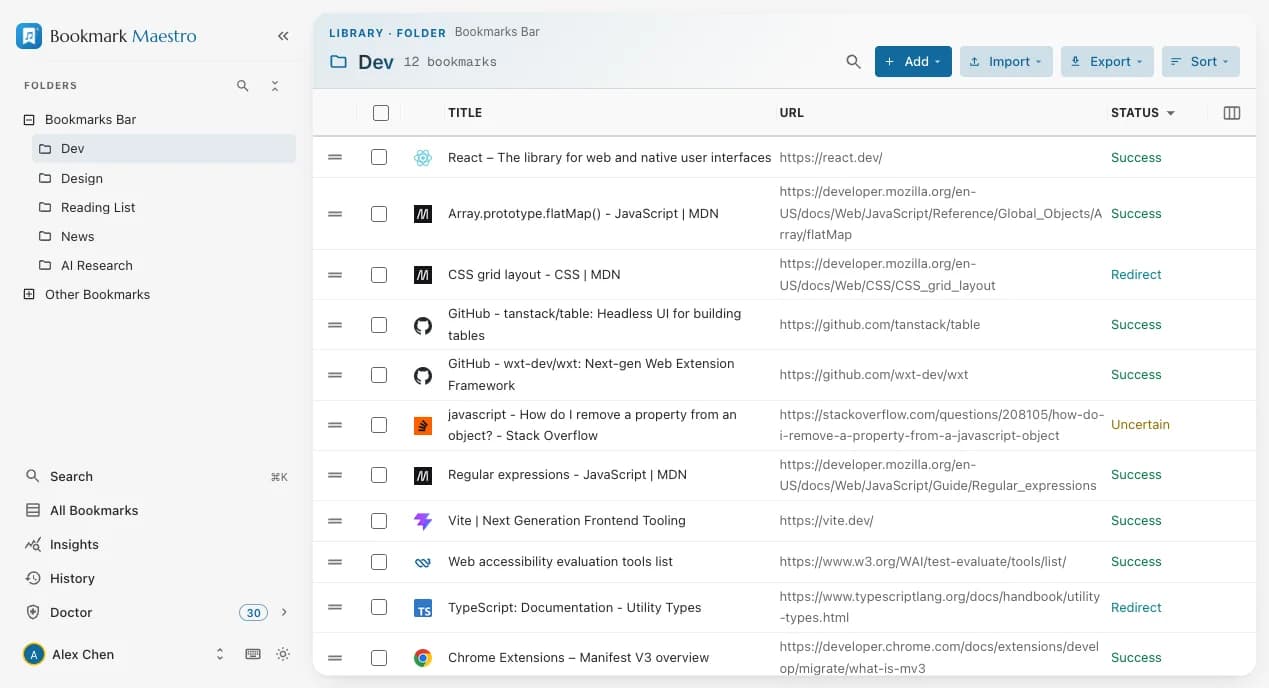
Maximize productivity with our comprehensive batch operations system, designed for efficient bulk bookmark management.
- Streamlined bulk actions for deletion, relocation, and link opening
- Intuitive hover controls for quick actions across all views
History — a 30-Day Recycle Bin
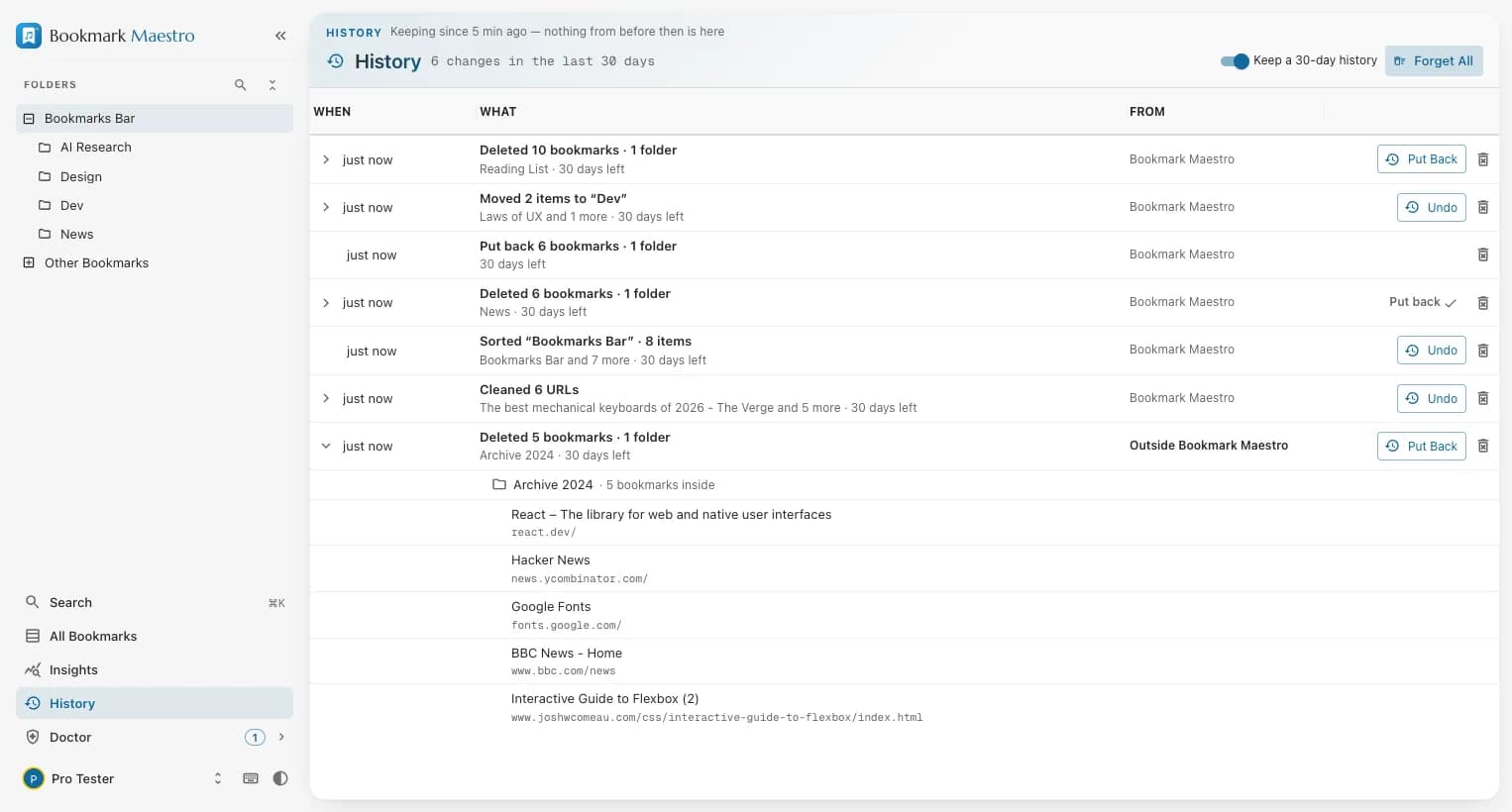
Chrome has no recycle bin for bookmarks: its undo is a toast that dies with the tab, and the one Bookmarks.bak file is spent by the first bookmark change after each launch. History keeps every deletion made in this browser for up to 30 days and puts it back where it was — and lists what it deliberately cannot do.
- Every deletion made in this browser is kept — made here, in Chrome's own bookmark manager, or by another extension — and listed with who made it
- Put back rebuilds a deleted folder where it was: same structure, same order, same position among its neighbours — once
- Edits, moves, sorts, URL cleans and imports made in Bookmark Maestro each get an Undo that still works days later, not seconds
- Not a backup, and honest about it: it lives in the same Chrome profile, only deletions made after it was installed are in it, Chrome gives put-back bookmarks new ids and today's date, and edits made in Chrome itself are not recorded
- Free, 100% local — the trash never leaves your device; Forget drops one deletion, Forget all empties it, and a switch turns keeping off
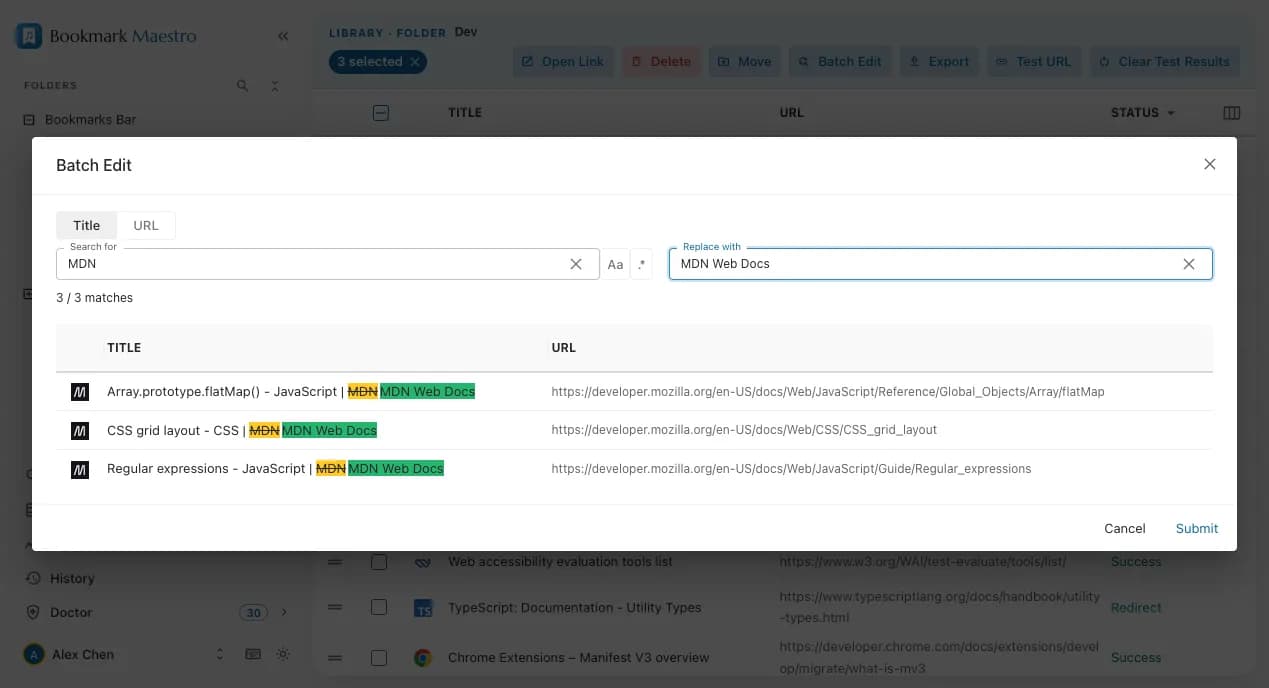
Batch EditingPRO
Transform your bookmark management with powerful bulk editing capabilities, featuring advanced pattern matching and replacement tools.
- Advanced bulk modification system with real-time preview and pattern matching
Import and ExportPRO
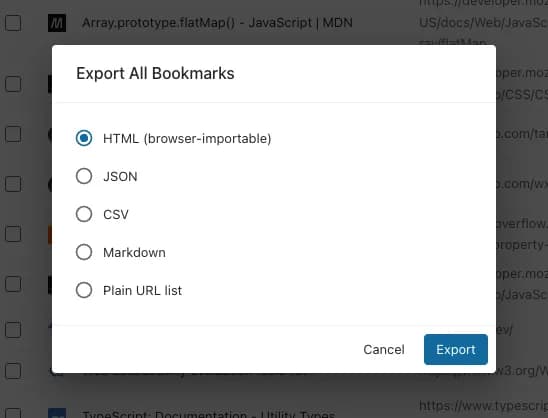
Import and export with the granular control Chrome itself won't give you — everything, one folder, or just the bookmarks you hand-pick.
- Export to five formats: browser-importable HTML (favicons included), JSON, CSV, Markdown, or a plain URL list
- Selective export — your whole library, the current folder, or only the bookmarks you select
- Import any HTML bookmarks file into the exact folder you choose, with its structure preserved
- Built entirely on-device — exporting fetches nothing and uploads nothing
Link Health TestingPRO
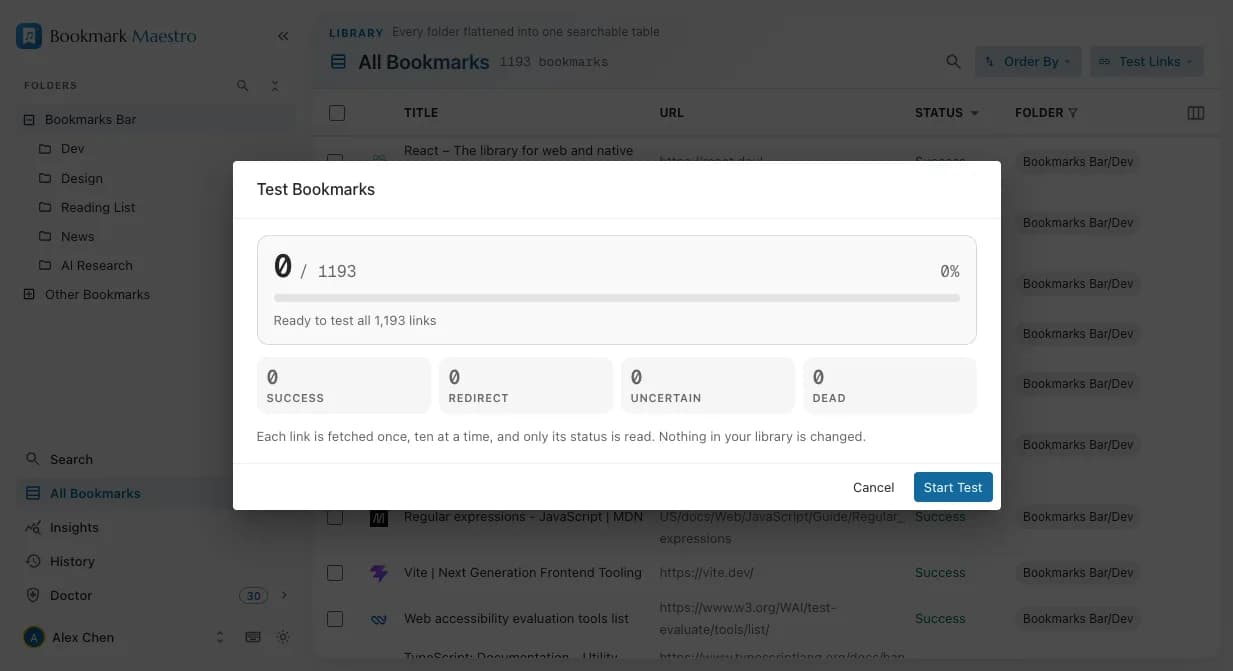
Real HTTP checks over the links you saved, run as a background job — close the window and the scan keeps going, with live progress reported in the manager.
- Redirects and temporary errors are flagged separately from dead links, so you don't delete links that still work
- Test your whole library, only untested links (a resumable pass), or just your selection
- Results live in the status column and feed the Insights health score
Automatic SortingPRO
Turn it on once and your folders stay in order by themselves. Every bookmark you add, rename or move into a folder is sorted into place in the background — including the ones you save in Chrome itself and the ones that sync in from another device.
- Sorts by title or URL, either direction, with folders at the top or the bottom
- Runs in the extension's background worker — the manager does not have to be open
- Off until you turn it on, and the Bookmarks Bar's own top level is left alone unless you include it
- Entirely on your device: no bookmark, and no folder name, is sent anywhere
Native Side Panel
Quick Access Panel
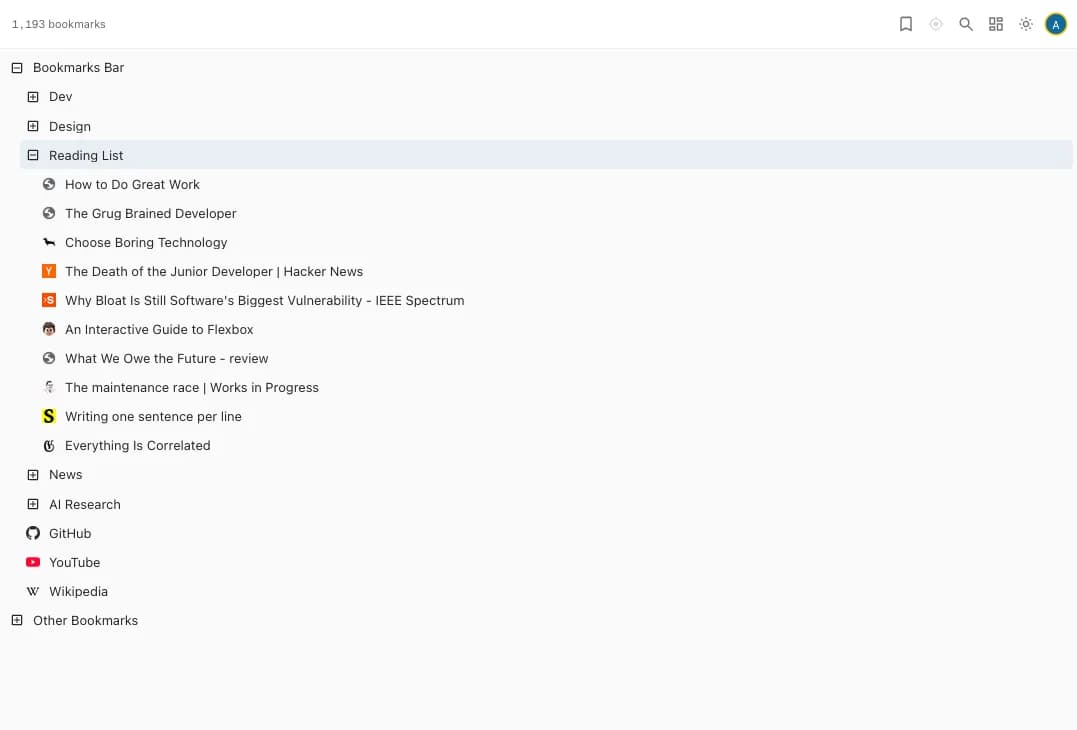
Enhance your browsing efficiency with our integrated side panel, providing instant bookmark access without disrupting your workflow.
- Intuitive hierarchical navigation with complete bookmark tree access
- Search the whole library from the panel, ranked by relevance, with the matched words lit
- Comprehensive management tools with context-sensitive hover actions
- Seamless drag-and-drop interface for effortless bookmark organization
- Enhanced keyboard navigation with arrow key support for mouse-free operation
- Versatile opening options including standard tabs and incognito windows
- Elegant dark mode integration for comfortable viewing in any environment
Analytics and Insights
Insights
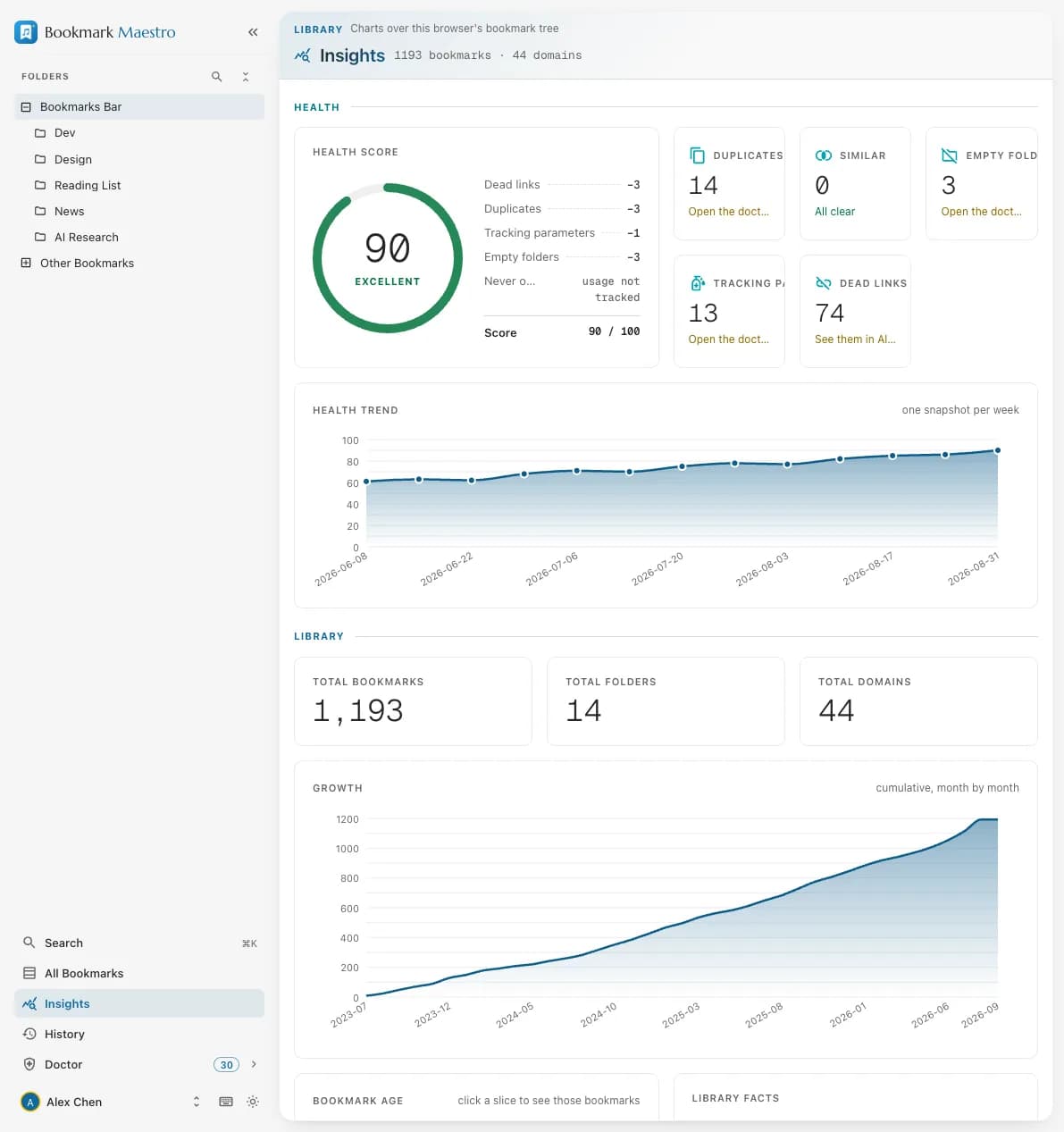
A dashboard over your whole library: a health score, growth over time, top domains and protocol breakdown — with charts that click through to the bookmarks behind them. The dashboard opens for everyone, with no account needed; the link-health half of it is filled in by the Pro dead-link scan.
- A health score for your whole collection, computed on your device
- Growth timeline plus top-domain, protocol and folder breakdowns
- Charts click through to the matching bookmarks in All Bookmarks
- Share card (PNG), domains CSV and full-data JSON exports — all free
- Detailed link health metrics — filled in by the Pro dead-link scan
Bookmark DoctorPRO
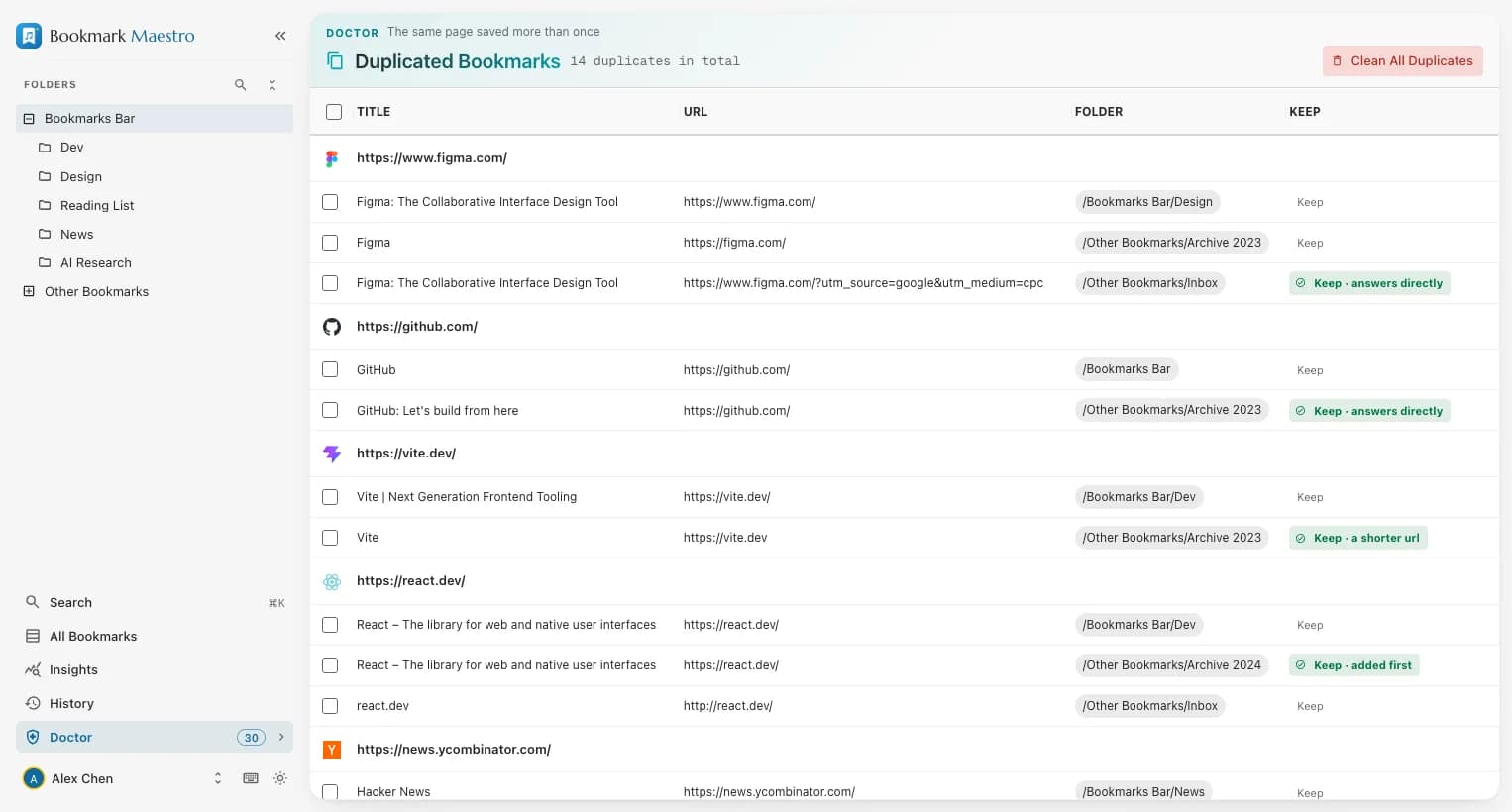
Optimize your bookmark collection with our intelligent diagnostic tools, designed to maintain organization and eliminate redundancy. The scan is free and needs no account — Pro is what runs the cleanup.
- Smart empty folder detection — free
- Duplicate and near-duplicate identification — free
- Tracking-parameter scan (utm, fbclid, gclid) with strike-through preview — free
- Clean All picks which duplicate survives by a stated rule ladder, and prints the reason on the row
- One-click cleanup of everything it finds, undo included — Pro